تم الحل ✓
categoryبرمجة وتطوير البرمجيات
schoolبكالوريوس
event_available2026-07-15
السؤال
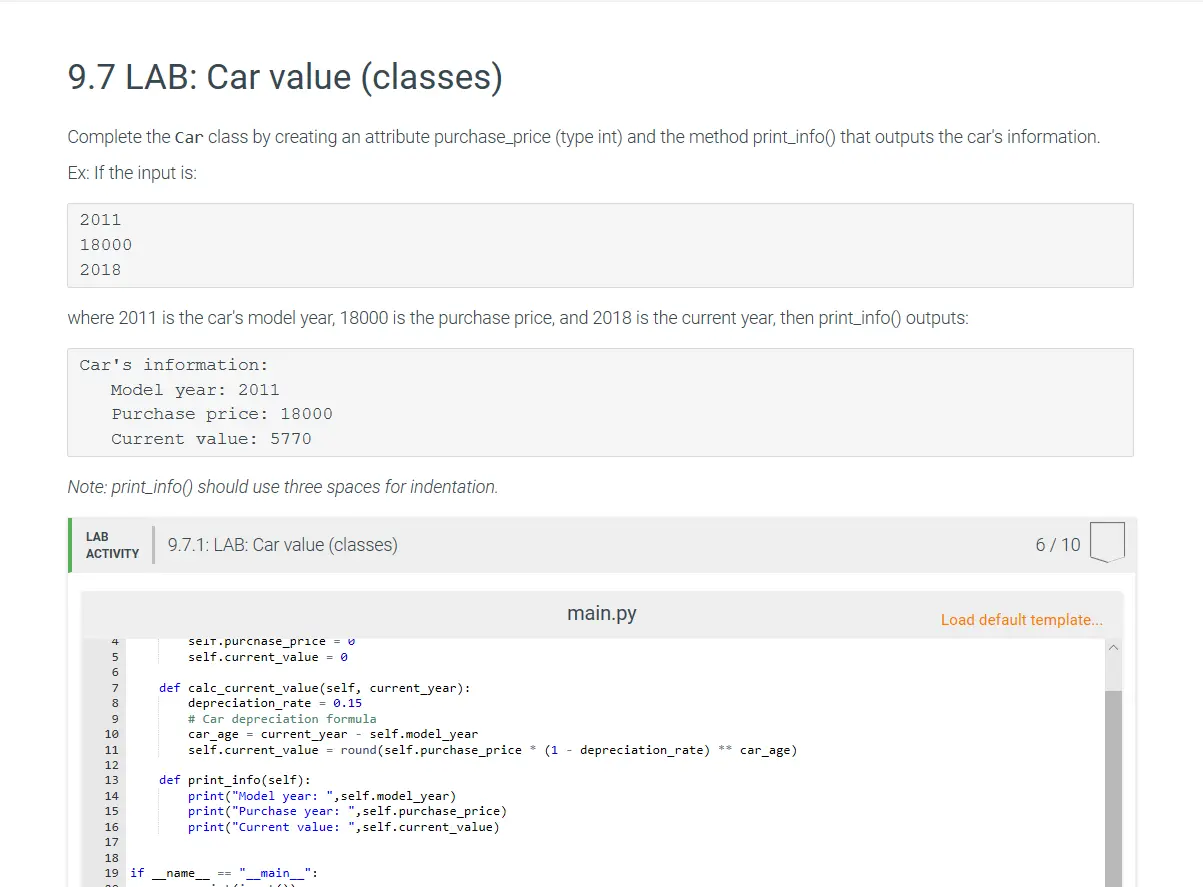
Transcribed Image Text:
9.7 LAB: Car value (classes)
Complete the Car class by creating an attribute purchase_price (type int) and the method print_info() that outputs the car's information.
Ex: If the input is:
2011
18000
2018
where 2011 is the car's model year, 18000 is the purchase price, and 2018 is the current year, then print_info() outputs:
Car's information:
Model year: 2011
Purchase price: 18000
Current value: 5770
Note: print_info() should use three spaces for indentation.
LAB
ACTIVITY
9.7.1: LAB: Car value (classes)
4
seiτ.purchase_price = v
self.current_value = 0
def calc_current_value(self, current_year):
depreciation rate = 0.15
# Car depreciation formula
-
car_age current_year self.model year
self.current_value = round(self.purchase_price
5
6
7
8
9
10
11
12
13
def print_info(self):
14
15
16
17
18
19 if
name
main_":
print("Model year: ",self.model_year)
print("Purchase year: ", self.purchase_price)
print("Current value: ", self.current_value)
main.py
-
(1 depreciation_rate)
**
car_age)
6/10
Load default template...
current value: 5/70
Note: print_info() should use three spaces for indentation.
LAB
ACTIVITY
9.7.1: LAB: Car value (classes)
4
5
6
7
8
9
seiт.purchase_price =
self.current_value = 0
def calc_current_value(self, current_year):
depreciation rate = 0.15
# Car depreciation formula
main.py
10
11
car_age current year self.model_year
self.current_value
round(self.purchase_price (1 depreciation_rate)
*
-
car_age)
12
13
def print_info(self):
14
print("Model year: ",self.model_year)
15
16
print("Purchase year: ", self.purchase_price)
print("Current value: ", self.current_value)
17
18
19 if
name
__main__":
20
21
22
year int(input())
price int(input())
current_year =
int(input())
23
24
my_car = Car()
25
my car model year = year
Develop mode
Submit mode
Enter program input (optional)
6/10
Load default template...
Run your program as often as you'd like, before submitting for grading. Below, type any needed
input values in the first box, then click Run program and observe the program's output in the
second box.
If your code requires input values, provide them here.
Run program
Input (from above)
main.py
(Your program)
Output (shown below)
Program output displayed here
check_circle الجواب — حل مفصل خطوة بخطوة
hourglass_top
🔒
الحل الكامل متاح للمشتركين
اشترك في أرشيف الأسئلة لعرض هذا الحل وآلاف الحلول المفصلة خطوة بخطوة من معلمين معتمدين.