تم الحل ✓
categoryبرمجة وتطوير البرمجيات
schoolبكالوريوس
event_available2026-07-15
السؤال
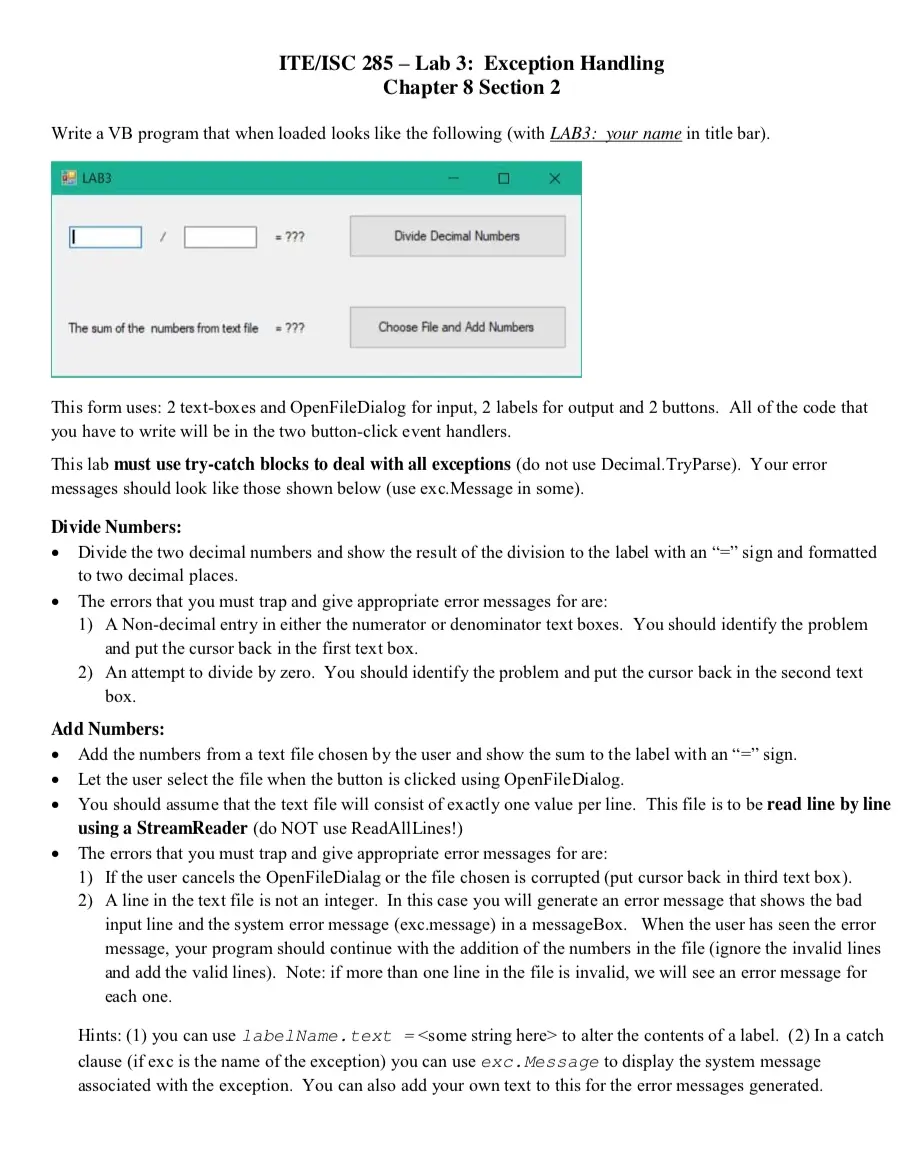
Transcribed Image Text:
ITE/ISC 285-Lab 3: Exception Handling
Chapter 8 Section 2
Write a VB program that when loaded looks like the following (with LAB3: your name in title bar).
LAB3
= ???
Divide Decimal Numbers
The sum of the numbers from text file = ???
Choose File and Add Numbers
X
This form uses: 2 text-boxes and OpenFileDialog for input, 2 labels for output and 2 buttons. All of the code that
you have to write will be in the two button-click event handlers.
This lab must use try-catch blocks to deal with all exceptions (do not use Decimal. TryParse). Your error
messages should look like those shown below (use exc.Message in some).
Divide Numbers:
• Divide the two decimal numbers and show the result of the division to the label with an "=" sign and formatted
to two decimal places.
•
The errors that you must trap and give appropriate error messages for are:
1) A Non-decimal entry in either the numerator or denominator text boxes. You should identify the problem
and put the cursor back in the first text box.
2) An attempt to divide by zero. You should identify the problem and put the cursor back in the second text
box.
Add Numbers:
•
Add the numbers from a text file chosen by the user and show the sum to the label with an "=" sign.
Let the user select the file when the button is clicked using OpenFileDialog.
⚫ You should assume that the text file will consist of exactly one value per line. This file is to be read line by line
using a StreamReader (do NOT use ReadAllLines!)
The errors that you must trap and give appropriate error messages for are:
1) If the user cancels the OpenFileDialag or the file chosen is corrupted (put cursor back in third text box).
2) A line in the text file is not an integer. In this case you will generate an error message that shows the bad
input line and the system error message (exc.message) in a messageBox. When the user has seen the error
message, your program should continue with the addition of the numbers in the file (ignore the invalid lines
and add the valid lines). Note: if more than one line in the file is invalid, we will see an error message for
each one.
Hints: (1) you can use label Name.text = <some string here> to alter the contents of a label. (2) In a catch
clause (if exc is the name of the exception) you can use exc. Message to display the system message
associated with the exception. You can also add your own text to this for the error messages generated.
check_circle الجواب — حل مفصل خطوة بخطوة
hourglass_top
🔒
الحل الكامل متاح للمشتركين
اشترك في أرشيف الأسئلة لعرض هذا الحل وآلاف الحلول المفصلة خطوة بخطوة من معلمين معتمدين.